
WooCommerce orders lose campaign context before revenue is reported.
One plugin, four operational surfaces
Capture first-touch and last-touch attribution before WordPress loses it.
Attach context to WooCommerce orders and supported form submissions.
Push browser and commerce events through one event pipeline.
Add consent-aware delivery only when a collector or endpoint exists.

WP 6.5+ runtime baseline with WooCommerce, forms, and consent-aware delivery support.
What ClickTrail solvesWHY
WHY
ATTRIBUTION
BREAKS
Attribution usually breaks after the landing page, not at the ad platform. ClickTrail is built for the point where WordPress actually needs the source trail: order creation, form submission, browser event pushes, webhook intake, and optional downstream delivery.
Built for
production
conditions
Cached and AJAX-rendered forms stop carrying hidden attribution fields.
Cross-domain flows reset the source trail between properties or subdomains.
Consent requirements gate event handling and transport at runtime.
Teams need browser capture and optional server-side delivery in one plugin.
Core capabilitiesCAPTURE, EVENTS,
CAPTURE, EVENTS,
COMMERCE, AND
DELIVERY
ClickTrail is organized around the surfaces implementers actually configure: capture, forms, events, WooCommerce, and delivery. Each capability can be rolled out in phases instead of forcing a full-stack tracking migration on day one.
Capture
Store first-touch and last-touch UTMs, referrers, click IDs, browser identifiers, retention windows, and cross-domain continuity in one attribution layer.
WooCommerce
Persist attribution on orders, enrich thank-you purchase payloads, and optionally emit storefront commerce events through the same ClickTrail pipeline.
Forms
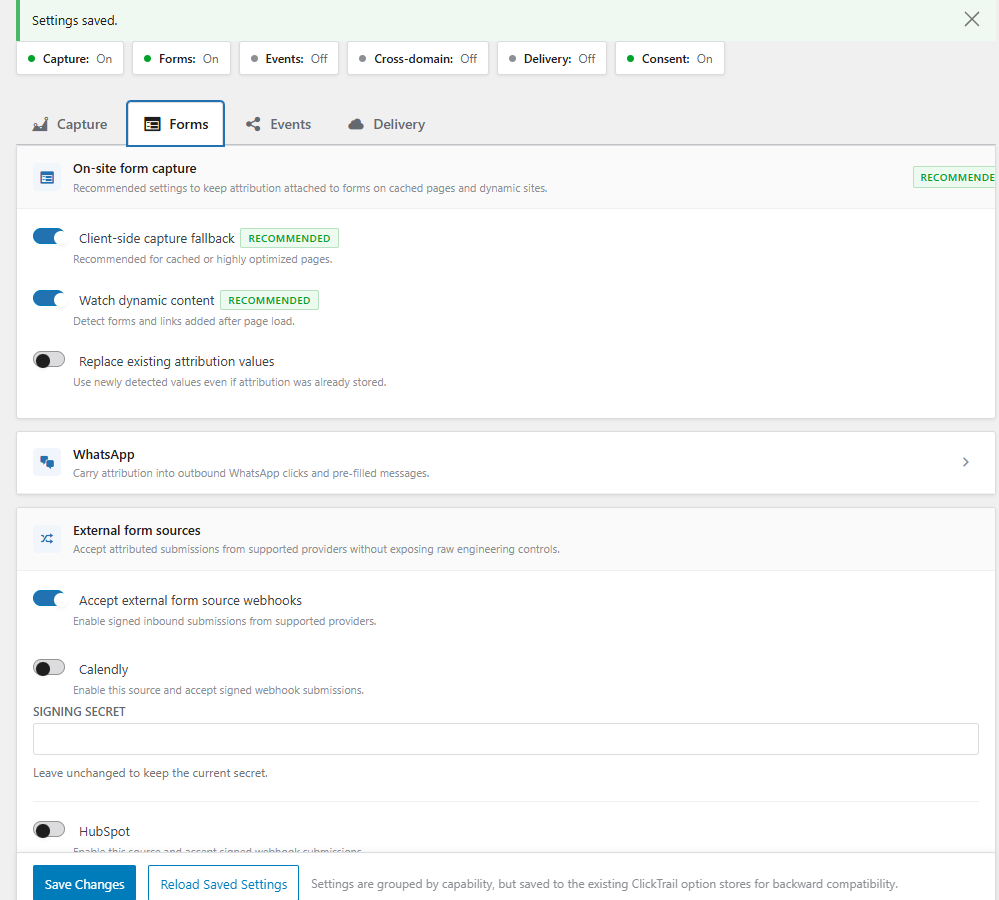
Handle automatic hidden-field enrichment where supported, compatible field population where required, cached-page fallback, dynamic form support, and webhook intake.
Events
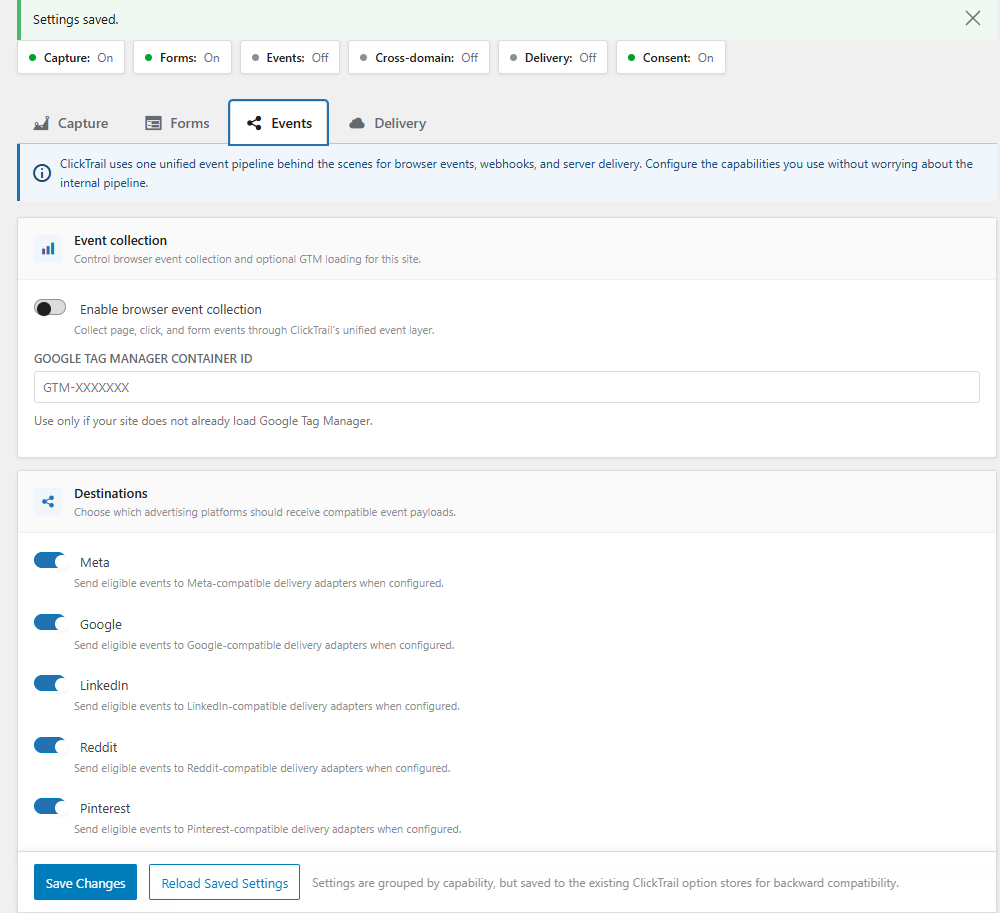
Push browser events to the dataLayer, collect webhook and lifecycle events, and keep event flow aligned with consent and destination selection.
Delivery
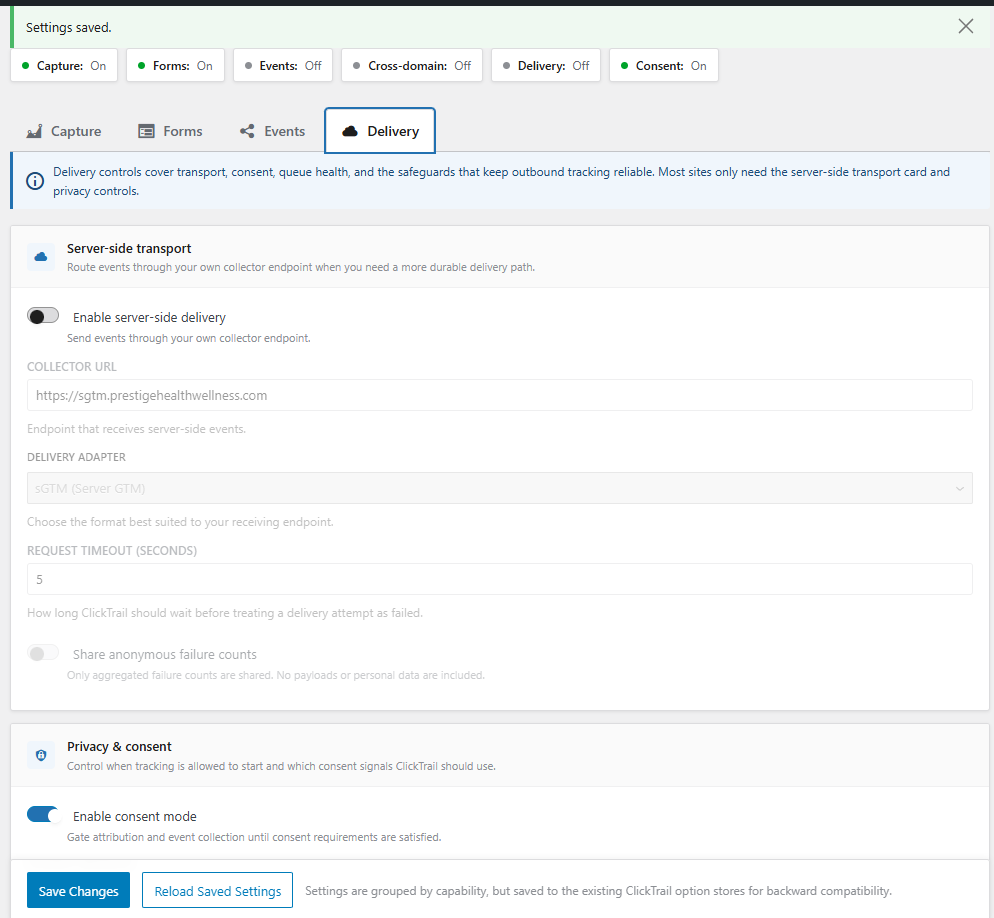
Add optional server-side transport, retry handling, diagnostics, and destination adapters only when the site is ready for a collector or advertising endpoint.
Where attribution breaks in practiceTHE FAILURE MODES
THE FAILURE MODES
ARE NORMAL SITE
CONDITIONS
Cached pages, dynamic form rendering, repeat visits, consent gating, and cross-domain journeys are not edge cases. They are the everyday runtime path for many WordPress sites, which is why ClickTrail treats them as first-class implementation surfaces instead of afterthoughts.
Capture and persistence stay separate from delivery decisions.
WooCommerce and forms can be adopted before server-side transport.
Consent can gate capture and dispatch without replacing the site CMP.
Browser events, webhooks, and commerce signals share one pipeline.
Recommended rollout sequence
Enable Capture first and set retention to match the sales cycle.
Turn on only the Forms or WooCommerce integrations the site already uses.
Add Events when the team needs dataLayer pushes or storefront signals.
Enable Delivery only when a collector or destination endpoint is ready.
That phased rollout keeps the plugin operational on day one while leaving room for GTM-first, consent-aware, or server-side setups later.
Operational proofADMIN SURFACES
ADMIN SURFACES
THAT MATCH THE
RUNTIME
WooCommerce
See stored attribution in the WooCommerce order list
The WooCommerce order list view keeps source context visible where operations teams actually review orders, instead of forcing a second reporting workflow just to inspect campaign data.
WooCommerce
Review first-touch and last-touch context on a specific order
Order detail screens expose the stored attribution trail on the conversion itself, which makes revenue checks, debugging, and source verification easier for implementers and support teams.
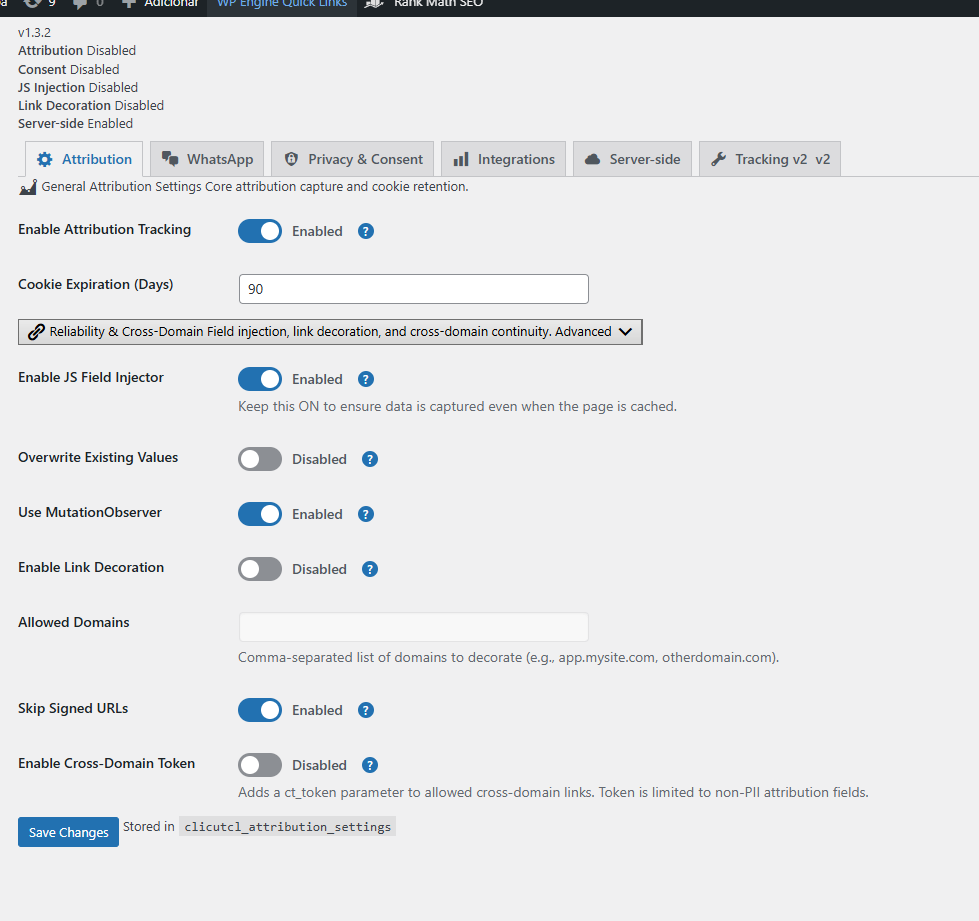
Settings
Configure Capture, Forms, Events, and Delivery from one settings model
The core settings surface is organized by capability, so phased rollouts stay clear when a team starts with attribution persistence and adds events or delivery later.
Diagnostics
Verify event intake, trace issues, and inspect transport behavior
Diagnostics keep endpoint tests, trace lookup, and delivery visibility inside the plugin so teams can validate real runtime behavior before they trust reporting output.
Technical FAQQUESTIONS TO SETTLE
QUESTIONS TO SETTLE
BEFORE YOU
INSTALL
The plugin is designed for phased adoption. Teams can start with attribution persistence in WordPress, then add browser events, consent controls, sGTM mode, or downstream delivery when the operational model is ready.
Works without server-side delivery on day one.
Supports WooCommerce alongside form, webhook, and browser-event flows.
Keeps consent, diagnostics, and transport decisions inside the same admin model.
Built for phased rollouts from Capture to Forms, Events, and Delivery rather than a one-shot tracking rewrite.